

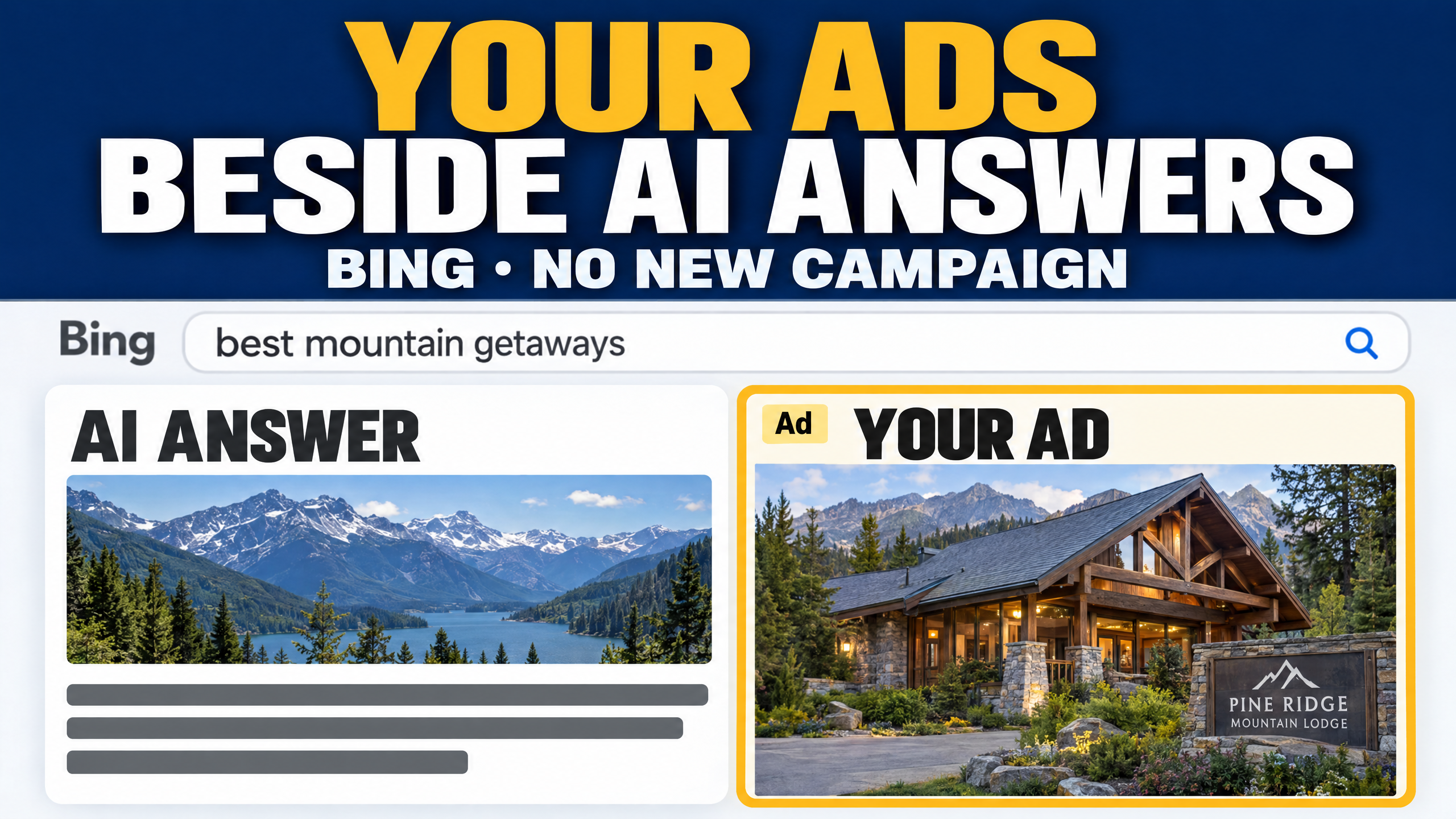
Microsoft says your Bing ads can now show up right next to its AI answers, with nothing new to switch on.
▶ LISTEN TO THIS EPISODE
In this episode
- Microsoft confirms ads now appear in Bing’s AI Overviews
- Anthropic says your everyday apps can now open inside Claude
- Canva adds controls to switch off its generative AI
- Rumor: a Google hotel pop-up may route bookings through AI Mode
Read the full transcript
Welcome to the AI Industry Report, daily AI news for small business, built by AI, about AI, from the Agentic Marketing Academy. It’s Friday, November 20th. Three stories and one rumor today, and the big one: Microsoft says your Bing ads can now show up right next to its AI answers, with nothing new to switch on. Let’s go.
Okay, remember that rumor from earlier this month? Someone spotted an ad inside one of Bing’s AI Overviews. Now Microsoft has confirmed it. Here’s how it works. Someone asks Bing a question, Bing’s AI writes a summary at the top of the page, and if your offer fits what that person is really trying to do, your ad can appear beside the answer. Microsoft’s own example: someone asks about a trip to a national park, the AI lays out an itinerary, and a hotel’s ad shows up right next to it. There’s no separate campaign to build. It runs through the campaigns you already have, including Performance Max and AI Max, and it’s live in every market except China.
Two new controls came with it. You can now tell AI Max exactly which pages on your site to send people to and pull ad wording from. Think your holiday gift guide, not your homepage. And you can label ads that use AI-made images or video, which Microsoft says some new laws may require. You make that call, and Microsoft says you’re responsible for it. One thing to watch: Microsoft’s post doesn’t mention a separate way to keep your ads out of AI answers, so keep an eye on where your clicks and sales are coming from. Source: Microsoft Advertising, November 19.
Next up, and this one is worth setting up this weekend. Anthropic now lets some of the apps you already use open right inside Claude. You connect a tool once, open it beside the chat or full screen, and you and Claude work in the same file, live. Anthropic names thirteen tools to start, including Canva, HubSpot, Notion, Asana, Dropbox, and Adobe. Anthropic says it works on the web and the desktop app, on all plans, and it’s rolling out as accounts get updated.
Here’s your first step. Connect one tool from Claude’s connector directory, then open it from the chat or pin it to your sidebar. A good first job: open your HubSpot pipeline and ask Claude to draft follow-ups for the deals that have gone quiet. The risk? Claude can make changes inside whatever’s open, and you approve its actions the same way you approve any connector. So start with one tool, not five, and read every approval before you click. Source: Anthropic, November 10.
Quick one if you design in Canva. Canva just launched two AI Controls for Free and Pro accounts. One switches Canva’s generative AI features off for your account. Canva says they stay on unless you change it. The other shows you fewer AI-generated templates and elements when you search. Canva’s help page says this is rolling out gradually, so you may not see it yet. Why care? If your brand depends on real photos and your own style, this keeps AI-made filler out of your search results. On a team plan, your admin controls it instead. Source: Canva, November 19.
Now, rumor watch. Barry Schwartz at Search Engine Roundtable shared screenshots from an X user, Lluc B. Penycate, showing a new hotel booking flow in Google. In those screenshots, a “Continue on Google” pop-up sends the booking through Google’s AI Mode, and Penycate says it covered the hotel’s own website, which he says showed a lower rate. Schwartz says he isn’t seeing it himself yet, and Google hasn’t commented in the report. If you run a hotel or a B and B, search for your own property and see what a guest sees. Source: Search Engine Roundtable, November 19.
So here’s your one thing for today. If you run Bing ads, open your AI Max campaign and add your two best pages as URL inclusions, so the AI sends holiday shoppers where you actually want them.
That’s today’s report. Hit subscribe, and as always thank you for listening.
Sources
- Microsoft Advertising blog, via Search Engine Roundtable, November 19, 2026
- Anthropic (Claude articles), Open your apps in Claude, November 10, 2026
- Canva Newsroom and Canva Help Center, November 19, 2026
- Search Engine Roundtable (Barry Schwartz), citing Lluc B. Penycate on X, November 19, 2026
- Canva Help Center, Manage AI features
- Microsoft Advertising MCP server setup guide (Microsoft Learn)
- Search Engine Roundtable, Microsoft confirms ads in AI Overviews on Bing
Your AI helps you market. Your customer’s AI helps them choose. Agentic Marketing Academy shows small business owners, marketers, and agency builders how to get found, understood, trusted, and recommended by AI, and how to use AI to plan and produce their marketing.
The platform I use to run it all (affiliate link): GoHighLevel
Free Agentic Readiness Checklist: agenticmarketingacademy.com/ready
Join the new free Skool community: skool.com/agentic-marketing-academy
The AI Industry Report is researched, written, and voiced by AI, built by the founder of the Agentic Marketing Academy. We teach businesses what AI can do. This show is the proof.